
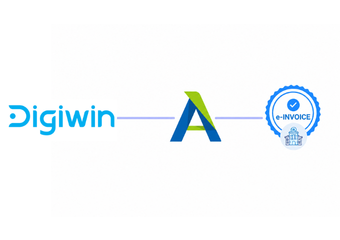
Compliance Designed for Integrated Enterprise Operations
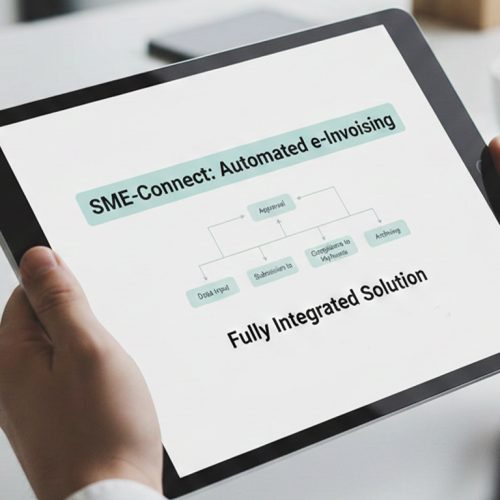
How the Digiwin T100 and Advintek Workflow Operates
- Select ERP Transactions: Relevant T100 transactions are selected according to FURS invoice requirements and recipient information accordingly.
- Map Account Fields: Customer and account fields are matched with corresponding electronic document requirements for processing accuracy.
- Review Commercial Data: Commercial information is reviewed before approved records enter controlled electronic invoice processing workflows successfully.
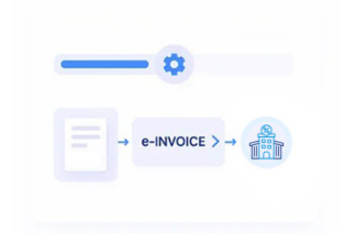
- Assemble Digital Documents: Validated T100 information is assembled into electronic invoice documents through structured processing.
- Apply Exchange Rules: Documents follow suitable exchange arrangements according to recipient and transaction requirements.
- Check Processing Results: Processing outcomes are reviewed against T100 records during financial reconciliation activities.
What Does Advintek Connect Across Digiwin T100 Workflows?
Advintek adds a specialized electronic invoicing layer around Digiwin T100, connecting enterprise records with controlled document preparation and exchange processes.
- Connects T100 transactions with invoice workflows
- Structures enterprise billing information electronically
- Coordinates documents for intended recipients
- Links invoices with ERP records
Why Advintek Works Well with Digiwin T100 Processes
- Integrated ERP Information: Existing Digiwin T100 information can support e-invoices without recreating established ERP records manually during invoice preparation.
- Account Data Consistency: Customer information remains coordinated between Digiwin T100 accounts and corresponding e-invoice documents throughout processing.
- Commercial Data Validation: Product and transaction details can be checked before structured invoice processing begins for greater data accuracy.
- Tax Record Association: Relevant tax information stays associated with invoice records throughout e-document preparation and processing activities.
- Adjustment Record Linking: Credit notes can retain relationships with originating Digiwin T100 transactions during document review and reconciliation activities.
- Reconciliation Reference Support: Processed invoices provide useful references when comparing e-documents with Digiwin T100 records during financial reconciliation.
Core Tools for Slovenia e-Invoicing Management
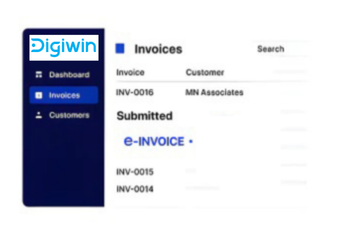
Invoice Queue Control
T100 invoice queues help finance teams organize documents alongside relevant ERP transaction information.
Transaction Review Controls
Transaction controls provide structured references for reviewing invoice details before processing.
Financial Reconciliation Views
Financial dashboards support reconciliation between e-invoices and Digiwin T100 accounting records.
Slovenia E-Invoicing Requirements
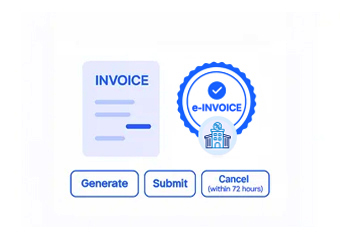
Slovenia taxable persons must follow applicable invoicing requirements. E-invoices involving budget users use permitted exchange arrangements through UJP, including contracted providers and the UJPeRačun portal as available channels.
- Supports applicable UJP invoice exchanges
- Aligns T100 data with requirements
- Organizes electronic invoice documentation
- Connects ERP records with processing
Streamline Your Manufacturing Documents
Connect Digiwin T100 with Advintek for Slovenia e-invoicing across enterprise operations.
Coordinate ERP records through connected invoicing.
Ready e-Invoice System
FAQs Digiwin T100 e-Invoicing Slovenia
Which Digiwin T100 data supports electronic invoice creation?
Digiwin T100 can provide relevant enterprise information such as customer accounts, sales transactions, item records, invoice details, tax information, and commercial references. Advintek can organize these records for structured electronic document preparation. This creates a controlled connection between Digiwin T100’s ERP information and electronic invoices while helping finance teams avoid recreating source data manually.
How does Digiwin T100 information flow through Advintek?
Relevant T100 records can enter Advintek for field mapping, information review, document construction, and electronic processing. The workflow separates core ERP data management from specialized invoice handling. Finance teams can therefore continue using Digiwin T100 as their operational system while Advintek manages the structured electronic document process associated with applicable Slovenia invoicing activities.
What happens when T100 invoices target Slovenia budget users?
When a Digiwin T100 invoice is issued to a Slovenia budget user, applicable electronic exchange requirements must be followed. UJP acts as the central entry and exit point for these e-invoices. Advintek can support preparation and processing of the T100 invoice information before the document follows an appropriate available exchange channel for its recipient.
Can Digiwin T100 preserve invoice relationships for adjustments?
Credit notes and other invoice adjustments can remain associated with their originating Digiwin T100 transactions during electronic processing. Advintek can organize the relevant adjustment information and preserve references between related documents. This supports finance teams when reviewing corrections, checking transaction history, and reconciling electronic documents against the corresponding records maintained within Digiwin T100.
Why use Slovenia e-Invoicing Software with Digiwin T100?
Slovenia e-Invoicing Software can extend Digiwin T100 with specialized electronic document capabilities while the ERP continues managing core enterprise information. Advintek can support invoice preparation, field validation, structured document creation, recipient routing, processing visibility, and reconciliation. This gives Digiwin T100 users a connected approach to electronic invoicing without replacing their established ERP processes.