

Compliance Built for Power Apps Business Operations
How Microsoft Power Apps Supports e-Invoicing
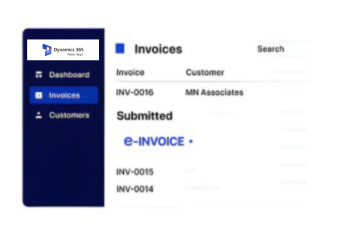
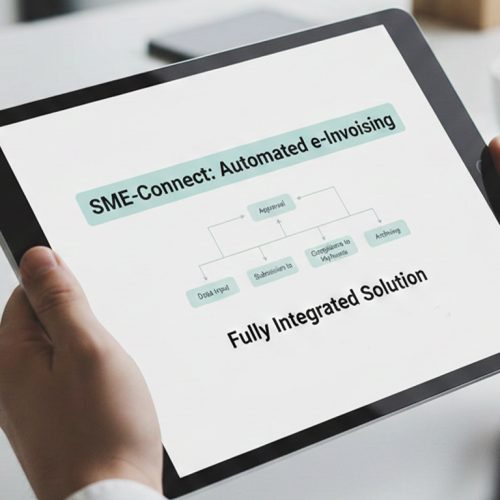
- Capture Business Records: Relevant customer, transaction, product, and billing records are identified from connected Microsoft Power Apps solutions.
- Map Application Fields: Selected application fields are interpreted and mapped into structured invoice information for e-processing.
- Build Invoice Content: Approved business data is assembled into invoice content reflecting the originating Microsoft Power Apps transaction.
- Review Required Data: Required invoice information is reviewed against applicable Slovenia requirements before electronic exchange begins securely.
- Route Validated Documents: Validated documents are routed through suitable channels according to recipient and Slovenia exchange requirements.
- Compare Source Records: Processed invoice information is compared with source application records for financial review and reconciliation.
What Advintek Adds to Microsoft Power Apps
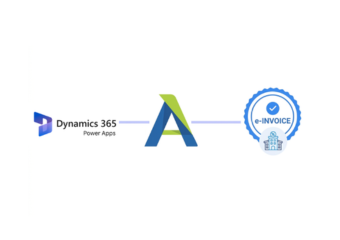
Advintek connects custom Microsoft Power Apps information with structured invoice processing, allowing application-driven transactions to participate in Slovenia e-invoicing workflows.
- Maps application records into invoice-ready information
- Connects custom forms with billing transactions
- Links approval data with invoice processing
- Supports recipient-specific electronic document routing requirements
Why Advintek Fits Microsoft Power Apps Invoicing Workflows
- Automated App Preparation: Automated app-driven preparation reduces repetitive work when teams generate invoices from custom business processes.
- Application Traceability: Structured processing creates clearer relationships between application activities and resulting electronic invoice documents securely.
- Validation Visibility: Centralized validation helps teams identify missing information before invoices proceed through electronic exchange workflows.
- Finance Context: Connected records provide useful context when finance teams review invoices against originating business transactions.
- Department Flexibility: Configurable workflows support different departments without requiring separate manual invoice preparation for every process.
- Reconciliation Evidence: Source-linked documents give finance teams stronger evidence when investigating differences during invoice reconciliation activities.
A Complete Foundation for Slovenia e-Invoicing
App Data Mapping
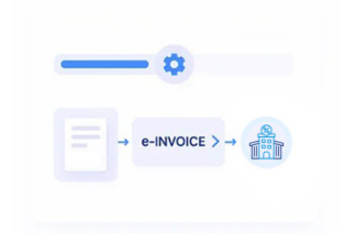
Configure relationships between Microsoft Power Apps fields and structured invoice information for processing securely.
Workflow Trigger Controls
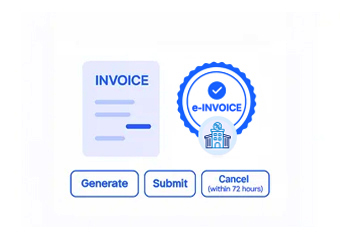
Initiate invoice preparation from approved application events across connected business processes automatically efficiently.
Exception Review Tools
Surface incomplete or inconsistent invoice information before documents enter electronic exchange workflows for review.
Slovenia Invoicing Support for Microsoft Power Apps Users
Advintek supports organizations using custom Microsoft Power Apps solutions to manage customer, operational, financial, and invoicing activities across Slovenia.
- Teams building custom finance apps
- Departments managing app-based billing workflows daily
- Operations coordinating customer transaction records digitally
- Organizations invoicing Slovenia public-sector recipients electronically
Start Your Connected Invoice Workflow
Connect your Power Apps data with Slovenia e-Invoicing through Advintek.
Support compliant processing across custom business applications.
Ready e-Invoice System
Frequently Asked Questions Power Apps e-Invoicing Slovenia
Can Microsoft Power Apps data be used for Slovenia e-invoicing?
Microsoft Power Apps can support custom applications containing customer, product, transaction, approval, and billing information. Advintek can connect relevant application data with electronic invoice processing, allowing organizations to use existing business records rather than recreate documents manually. This provides a structured path from custom application activity toward Slovenia e-invoicing and applicable recipient exchange requirements.
How does Microsoft Power Apps trigger an invoice workflow?
A Microsoft Power Apps solution can capture or update business information that indicates an invoice is ready for processing. Through the configured integration, relevant application fields can be transferred for invoice preparation, validation, and routing. This allows organizations to design invoicing around their own application processes rather than adapting every department to a rigid billing workflow.
What Microsoft Power Apps information can Advintek map into invoices?
The integration can use relevant information available within the configured Microsoft Power Apps environment, such as customer details, products, services, transaction references, tax information, approvals, and billing fields. Advintek can map appropriate records into structured invoice content while preserving useful source relationships. The exact fields depend on the organization’s application design and integration configuration.
Can Microsoft Power Apps support different invoicing processes across departments?
Yes. Microsoft Power Apps is commonly used to create applications around specific departmental processes, so different teams may capture different information before invoicing. Advintek can work with configured application workflows and mappings, allowing departments to retain their own operational processes while sending appropriate invoice information into a connected Slovenia electronic invoicing workflow.
How can Microsoft Power Apps invoices be reconciled with source applications?
Processed invoice information can remain associated with relevant application records, depending on the configured integration. Finance teams can use those relationships to compare invoices with customer transactions, approvals, products, services, or other source information. This creates a clearer basis for reviewing discrepancies and reconciling e-invoices against the business activity recorded within Microsoft Power Apps.