

Compliance That Fits SAP Business One Users
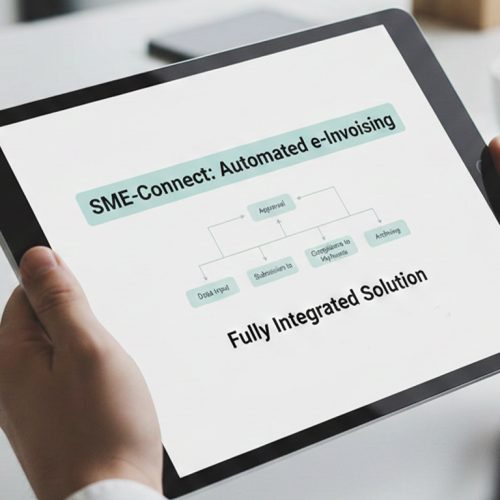
How SAP Business One Transactions Move Through Advintek
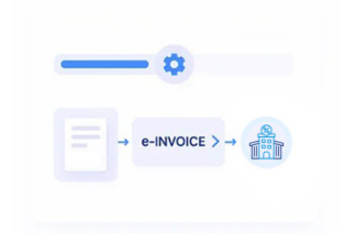
- Identify Sales Records: Relevant sales documents and customer information are selected from SAP Business One for processing.
- Extract Business Fields: Configured customer, item, quantity, tax, and transaction fields are gathered from SAP Business One records.
- Construct Invoice Content: Selected information is organized into structured invoice content reflecting the originating commercial transaction accurately.
- Validate Slovenia Requirements: Invoice information is checked against applicable Slovenia electronic invoicing requirements before exchange proceeds securely.
- Route Electronic Documents: Validated invoices are transmitted through suitable channels according to recipient and Slovenia exchange requirements.
- Reconcile Source Transactions: Processed invoices can be matched against SAP Business One records for accounting review activities.
What Does the SAP Business One Connector Manage Through Advintek?
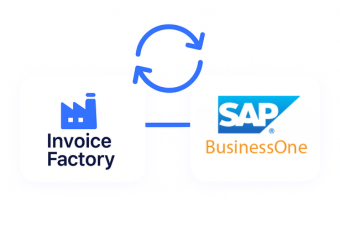
Advintek connects SAP Business One’s commercial and financial records with structured invoice processing, helping businesses coordinate source information, validation, electronic exchange, and reconciliation through an integrated workflow.
- Connects sales orders with invoice records
- Maps customer details into recipient information
- Carries item information into invoice lines
- Links delivery references with billing records
Why Advintek Supports SAP Business One Invoice Management
- Cleaner Sales Continuity: Linking sales documents with invoices preserves commercial context across SAP Business One billing activities.
- Reliable Master Data: Existing customer and item records reduce repeated entry during recurring electronic invoice preparation workflows.
- Stronger Inventory Context: Delivery and warehouse references connect invoicing activity with underlying product movements more clearly across transactions.
- Clearer Tax Treatment: SAP Business One tax information supports consistent invoice preparation and compliance review processes across transactions.
- Better Financial Visibility: Connected invoice records provide accounting teams clearer context for reviewing detailed transaction-level financial information.
- Efficient Reconciliation: Matching processed invoices with source documents helps finance teams investigate discrepancies with less manual effort.
Slovenia e-Invoicing Tools Across One Platform
Invoice Data Orchestration
Coordinate customer, item, tax, sales, and accounting information within connected electronic invoice workflows.
Document Validation Controls
Review structured invoice content against configured business and Slovenia compliance requirements before exchange.
Reconciliation Workspace
Compare processed invoice information with originating SAP Business One records for focused financial review.
Where SAP Business One Meets Slovenia Invoicing Requirements
SAP Business One supports connected business operations across sales, purchasing, inventory, and financial management. Advintek extends those ERP processes into structured electronic invoice workflows suited to Slovenia business requirements.
- Distributors coordinating customer sales billing operations
- Manufacturers linking products with invoice workflows
- Businesses managing inventory-based commercial invoice billing
- Suppliers invoicing Slovenia public-sector customers directly
Simplify E-Invoicing With SAP Business One
Align SAP Business One data with Slovenia’s electronic invoice requirements.
Support compliant exchange through connected ERP workflows.
Ready e-Invoice System
Frequently Asked Questions SAP Business One E-Invoicing Slovenia
Can SAP Business One credit notes be processed electronically?
Credit note information from SAP Business One can be incorporated into Advintek’s structured invoice workflow. Original invoice references, customer information, adjustment amounts, and applicable tax details can be retained during preparation. This allows credit notes to follow configured validation and exchange processes while helping finance teams maintain connections between adjustments and source transactions.
How are SAP Business One invoice exceptions managed?
Advintek can identify incomplete or inconsistent invoice information through configured validation checks before electronic exchange. Finance teams can review flagged fields, correct relevant SAP Business One records, and continue processing once required information is available. This provides a structured approach to handling invoice exceptions while preserving references to the originating ERP transaction.
Can SAP Business One support recurring billing workflows?
Recurring billing information maintained in SAP Business One can be incorporated into Advintek’s structured e-invoicing process where the necessary customer, product, tax, and transaction details are available. Invoice records can then undergo configured validation and exchange steps, allowing recurring billing activities to follow established Slovenia invoicing procedures while retaining their ERP source context.
Can invoice processing results be tracked after exchange?
Advintek can capture available processing responses and status information after SAP Business One invoices are routed through configured exchange channels. Finance teams can review processing outcomes, identify documents requiring attention, and reference relevant invoice details. This supports ongoing operational monitoring and provides useful information for reconciliation and follow-up across Slovenia electronic invoicing activities.
How does SAP Business One support invoice reconciliation?
Processed invoices can remain associated with relevant SAP Business One sales, delivery, customer, and accounting records throughout the configured workflow. Finance teams can compare electronic invoice information with originating ERP transactions to investigate differences, verify document details, and support financial review. This creates a clearer reference trail between operational activity and processed invoices.