

Compliance That Fits Xero Users.
From Xero Data To Documents
- Select Relevant Records: Relevant Xero records are selected for processing according to invoice requirements and transaction context.
- Match Document Fields: Customer and transaction fields are matched with corresponding electronic document information before invoice creation begins.
- Check Invoice Details: Invoice details undergo structured checks to identify incomplete or inconsistent information before processing continues.
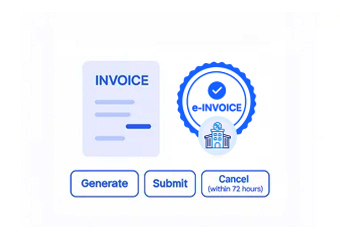
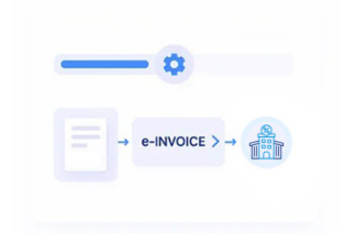
- Create Digital Documents: Approved Xero data is transformed into electronic invoice documents suited to the intended recipient.
- Choose Exchange Route: Prepared documents follow an appropriate exchange route based on recipient and specific transaction requirements.
- Review Processing Results: Processing outcomes can be reviewed alongside Xero entries during reconciliation and subsequent accounting follow-up.
Adding Intelligence To Xero Workflows
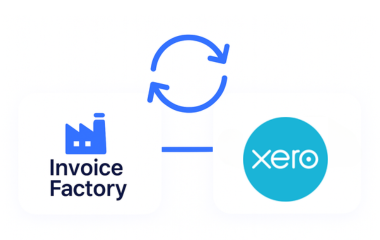
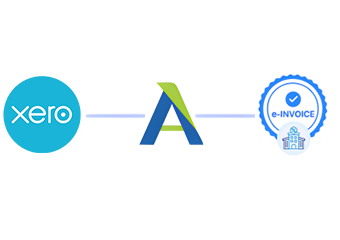
Advintek introduces a specialized electronic invoicing layer around Xero, connecting cloud accounting information with structured document processing.
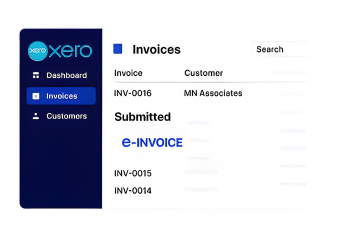
- Links Xero sales records with invoices
- Checks customer and relevant tax information
- Routes documents for intended recipients
- Shows processing status for teams
Business Value Across Xero Operations
- Cloud Accounting Integration: Xero accounting information can flow into electronic invoicing without duplicating established financial accounting records.
- Recipient Data Consistency: Recipient details remain associated with corresponding invoices throughout preparation, processing, and document review.
- Transaction Flow Continuity: Transaction information can remain connected from Xero records through structured electronic invoice generation.
- Tax Information Coordination: Relevant tax fields accompany invoice information throughout validation and structured electronic document handling.
- Adjustment History Tracking: Credit notes and corrections can retain links with related Xero transactions during review.
- Reconciliation Reference Support: Electronic invoice information gives finance teams useful references when checking corresponding Xero accounting entries.
Everything You Need for Slovenia E-Invoicing in One Place
Invoice Capture Tools
Relevant Xero sales information can enter organized e-invoicing workflows without repeated manual preparation.
Customer Data Mapping
Recipient and account details can align with electronic invoice fields before document processing begins.
Financial Review Workspace
Teams can compare processed invoices with Xero records during reconciliation and accounting oversight.
Understanding Slovenia Invoicing Requirements
For Slovenia budget users, businesses must issue e-invoices through permitted channels, with UJP serving as the central exchange point alongside authorized providers and UJPeRačun.
- Supports applicable UJP invoice exchanges for businesses
- Aligns documents with Slovenia requirements where applicable
- Organizes structured electronic invoice records for review
- Connects Xero data with invoice processing
Connect Slovenia Operations With Advintek
Let Xero accounting data flow into structured Slovenia e-invoicing.
Coordinate every invoice through one connected workflow.
Ready e-Invoice System
Frequently Asked Questions Xero e-Invoicing Slovenia
What Xero functions connect with Advintek?
Advintek can work with relevant Xero accounting information needed for electronic invoice preparation, including customer details, sales records, invoice lines, tax information, and transaction references. The integration creates a connection between Xero’s accounting environment and specialized invoice processing, allowing finance teams to manage digital documents without recreating information manually across separate systems.
Can Xero support Slovenia e-invoices?
Xero can provide the accounting information required for electronic invoice preparation, while Advintek handles the dedicated document workflow. Relevant records can be structured, reviewed, and processed according to the applicable Slovenia requirements. For invoices involving budget users, the document can follow the appropriate UJP-supported exchange arrangement for the intended recipient.
How does Xero data reach an e-invoice?
Relevant Xero information is collected from the accounting workflow and mapped to the fields required for electronic document preparation. Advintek can organize customer, transaction, tax, and invoice details before creating the structured document. This approach helps preserve information accuracy while providing a controlled path from the original Xero record to the resulting invoice.
Can finance teams reconcile invoices with Xero?
Yes. Processed electronic invoice information can be associated with corresponding Xero accounting records, giving finance teams useful references during reconciliation. Teams can compare invoice details with sales transactions, customer information, tax records, and related adjustments. This connected approach can make it easier to identify discrepancies and review document history without abandoning the existing Xero environment.
Why choose Xero e-Invoicing Software in Slovenia?
Xero e-Invoicing Software can extend the capabilities of a cloud accounting environment with dedicated electronic document processing. Advintek can support invoice preparation, information validation, structured document creation, recipient routing, and processing visibility around Xero. Businesses can therefore retain their familiar accounting workflow while introducing specialized capabilities for managing Slovenia e-invoicing requirements.